> For the complete documentation index, see [llms.txt](https://docs.avataar.ai/knowledge-center/llms.txt). Markdown versions of documentation pages are available by appending `.md` to page URLs; this page is available as [Markdown](https://docs.avataar.ai/knowledge-center/creator/upload-your-catalog/upload-3d-model/additional-details.md).
# Additional Details
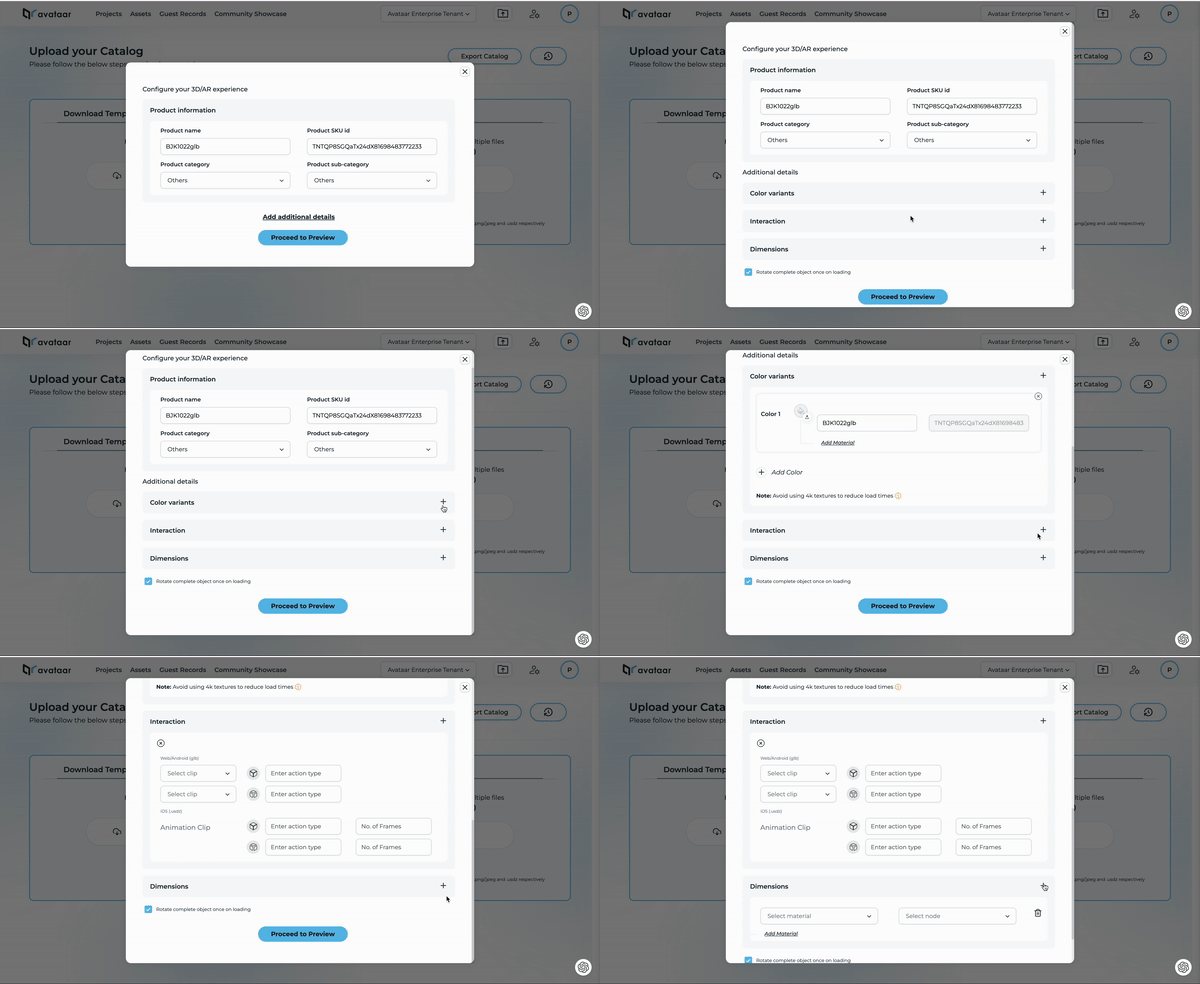
If you're building '3D/AR' outputs, you can include more details in the uploaded model. Here are the options you can add:
1. [Color Variants](/knowledge-center/creator/upload-your-catalog/upload-3d-model/additional-details/color-variant.md)
2. [Interactions](/knowledge-center/creator/upload-your-catalog/upload-3d-model/additional-details/interaction.md)
3. [Dimensions](/knowledge-center/creator/upload-your-catalog/upload-3d-model/additional-details/dimensions.md)
To enable these options, click on 'Add additional details' located below 'Product Information'.